
One dashboard, every way people reach out on Instagram
Comments, story replies, and direct DMs all route through the same set of automations — so you write a reply once and it works everywhere that keyword shows up.
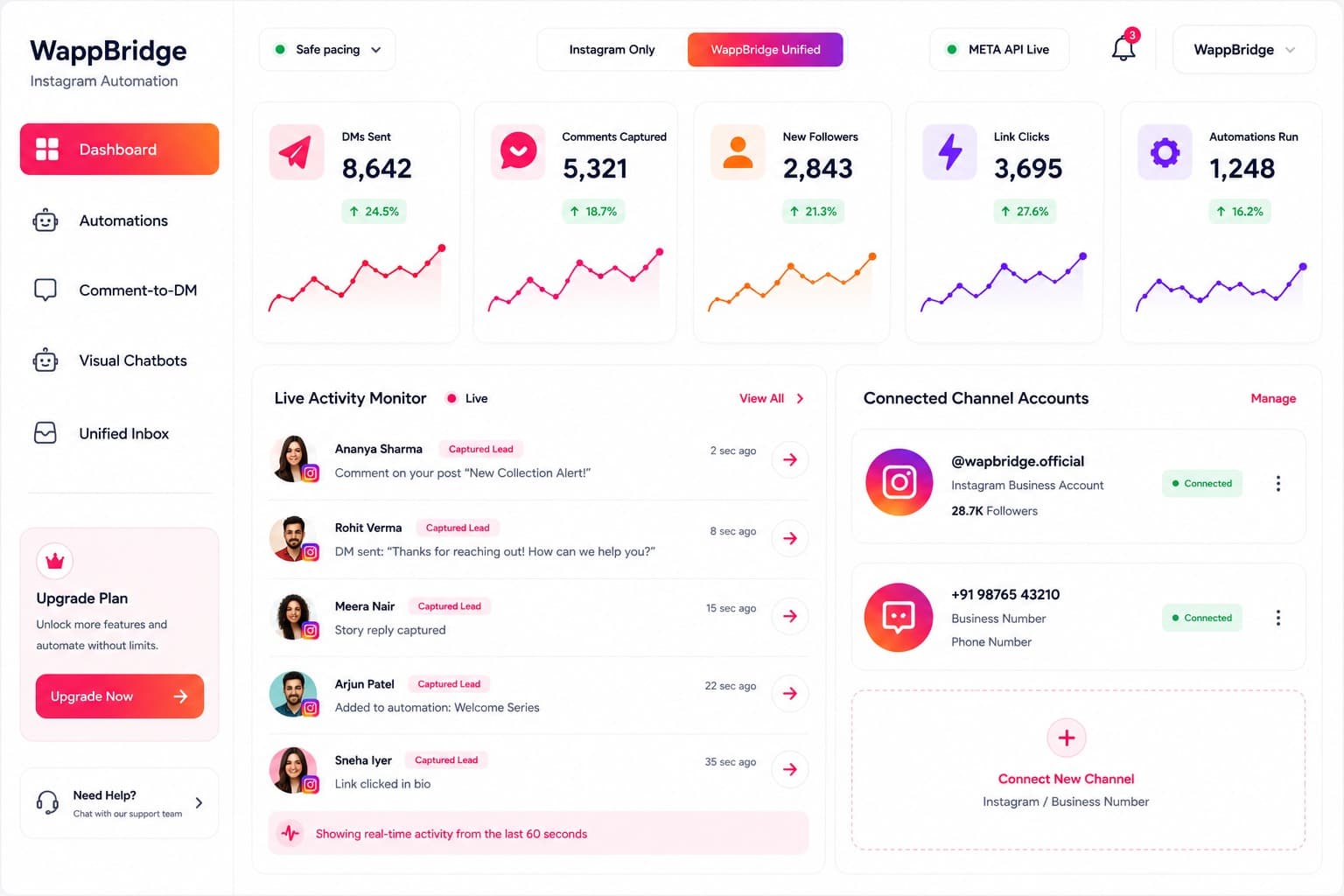
Dashboard
Your control center. DMs sent, comments captured, new leads, and link clicks update live, alongside a real-time activity feed of every automation as it fires.
- Live counters for DMs sent, comments captured, leads, and link clicks — refreshed as events happen, not on a delay
- Activity feed shows the exact trigger, account, and outcome for every automation firing in real time
- Safe-pacing indicator confirms outbound messages are being throttled to human-like send rates
Automations
Every growth engine you've built, in one table — trigger type, channel, live status, DMs fired, and when it last ran — so you can see what's working at a glance.
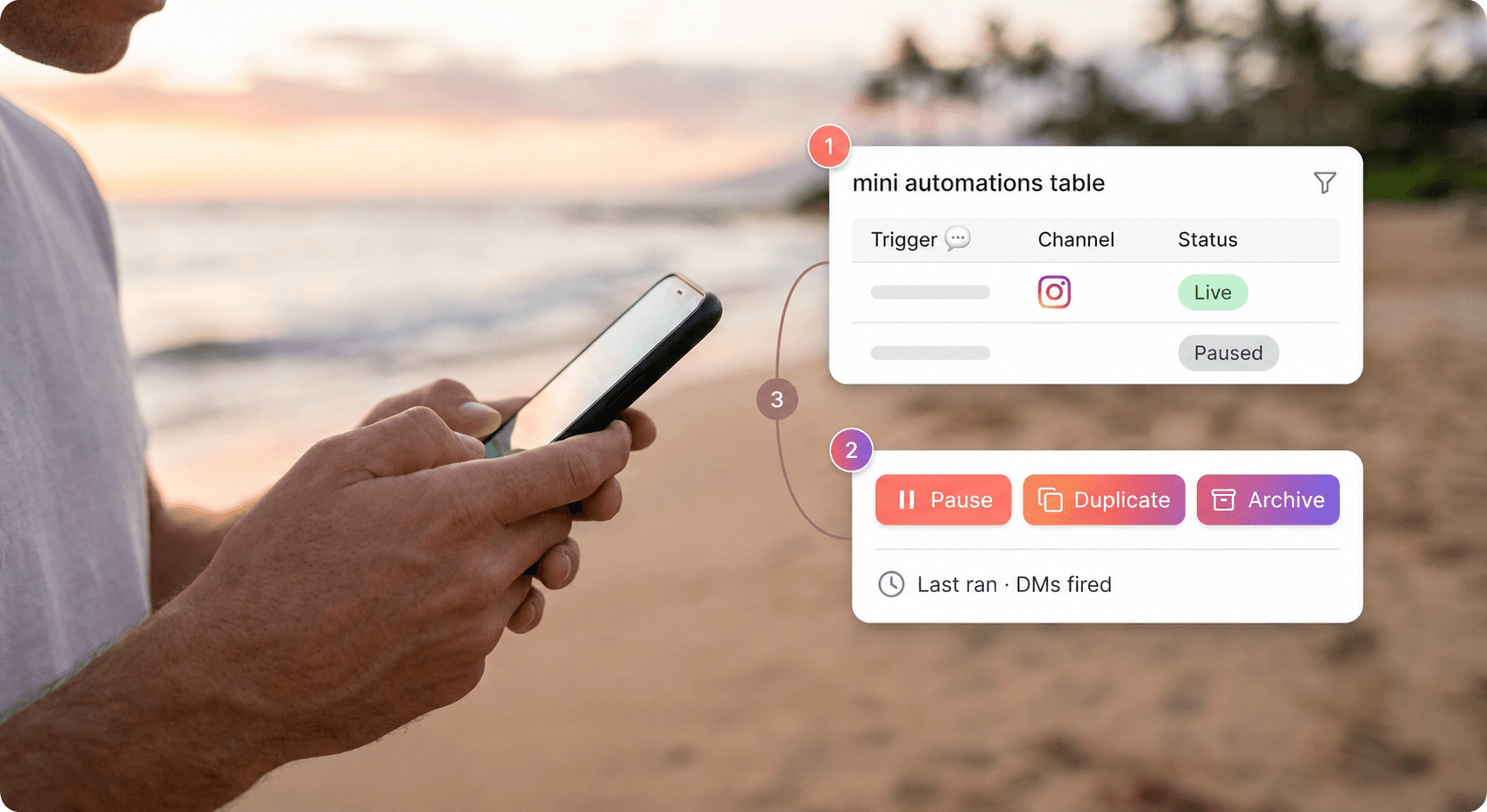
- Sort and filter by trigger type, connected account, or status (live / paused / draft)
- One-click pause, duplicate, or archive without touching the underlying flow
- Per-automation history of DMs fired and last-run timestamp for quick auditing
Visual Chatbots
Drag-and-drop conversation flows for DMs, including an AI FAQ resolver node that answers common questions in your voice before handing off to a human.
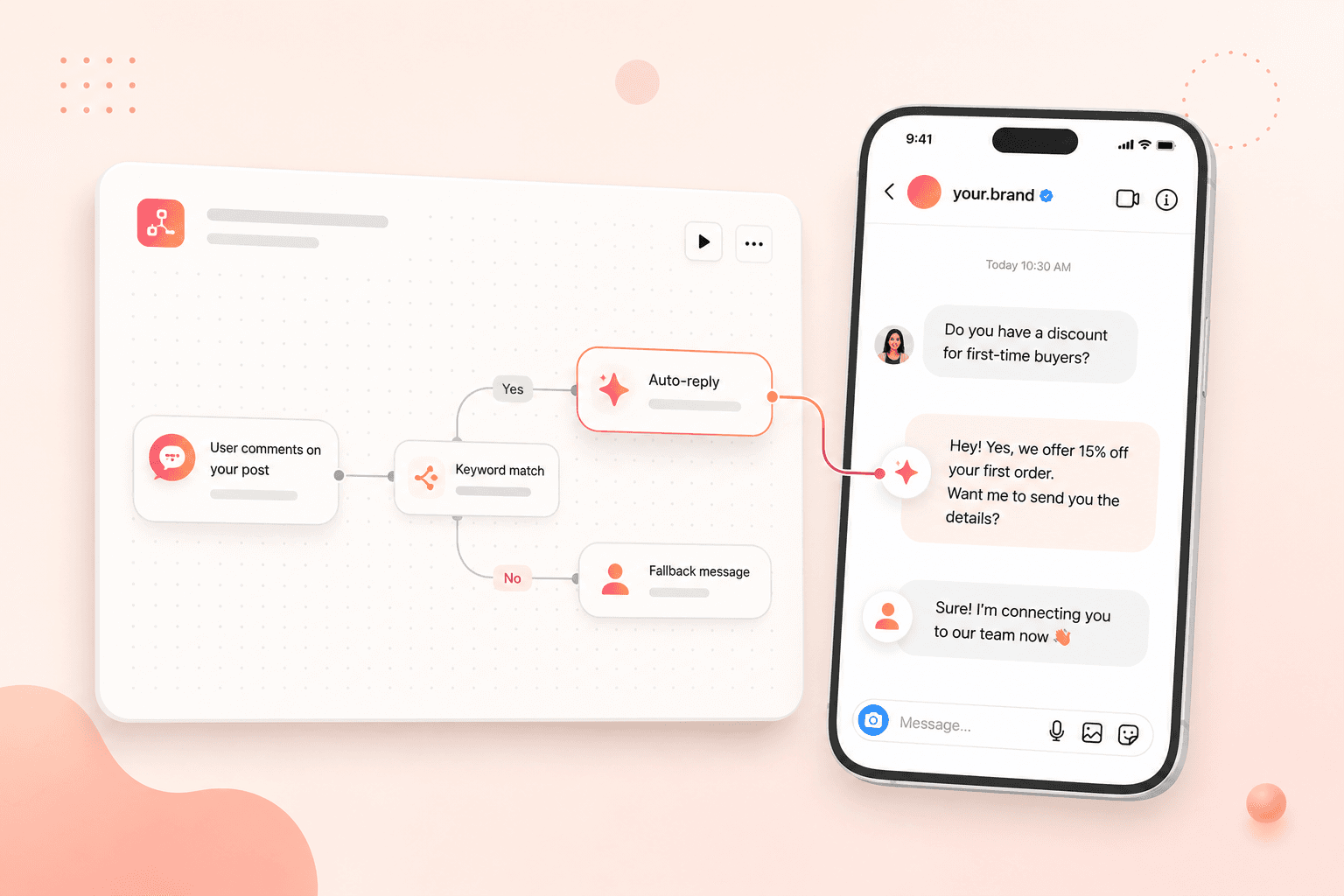
- Branching flows with conditional steps based on what the person replies
- AI FAQ node trained on your own answers, with a clean handoff to the unified inbox when it can't resolve something
- Reusable flow blocks so a quiz or FAQ segment can be dropped into multiple automations
Unified Inbox
Every DM across connected accounts lands in one live inbox, so a real conversation never gets buried under automated replies.
- Single inbox view spanning every connected Instagram account in the workspace
- Automated replies are tagged separately from human conversations so nothing gets missed
- Assign conversations to teammates for agency or multi-person setups

Comments Moderation
Spam comments and bot activity are detected and hidden automatically, so your triggers only ever fire for real people.
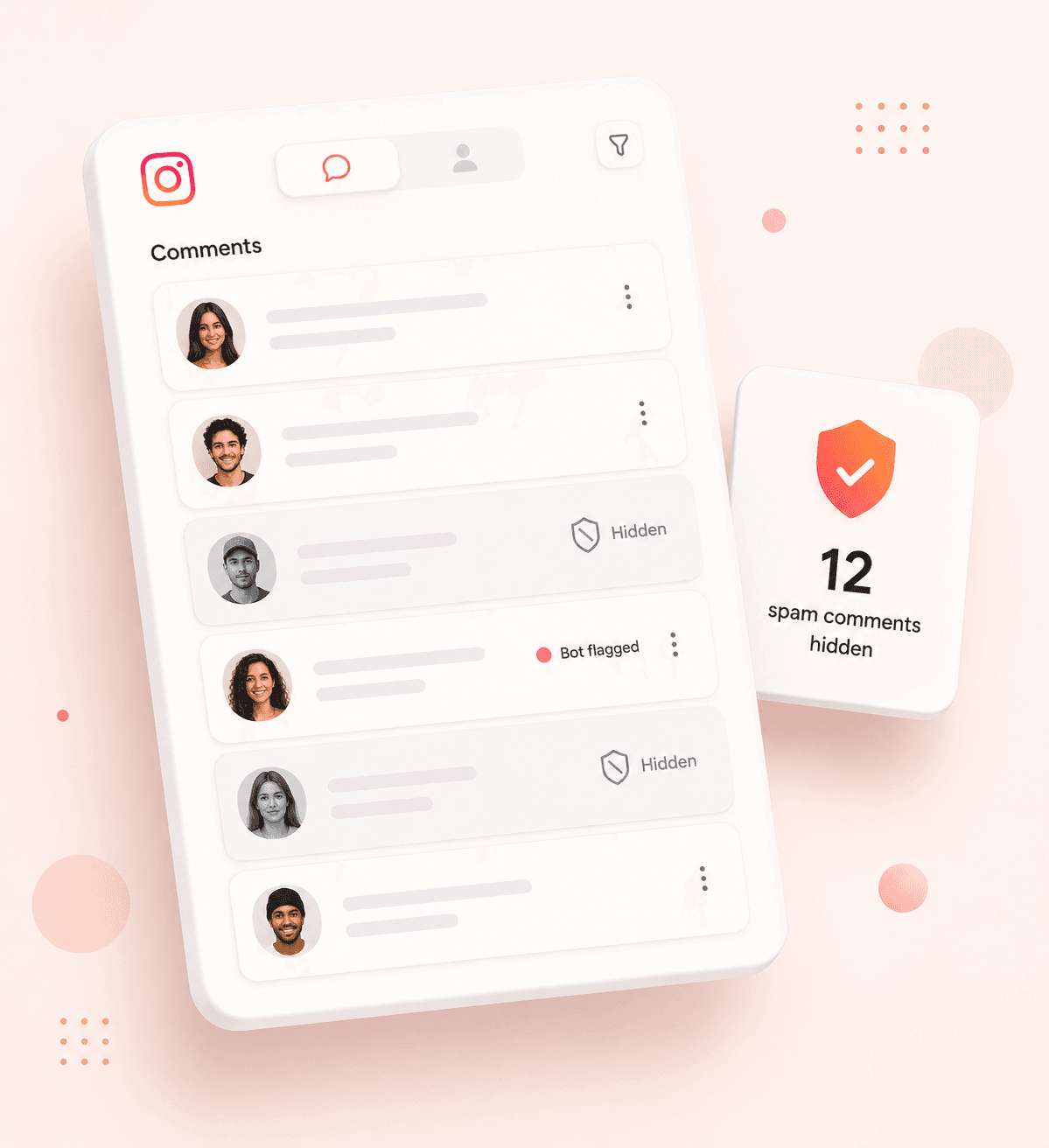
- Automatic detection of bot rings, spam links, and repeated low-quality comments
- Flagged comments are hidden rather than deleted, keeping a record for review
- Keeps trigger keywords from firing on spam, protecting your DM quota
Publishing & Calendar
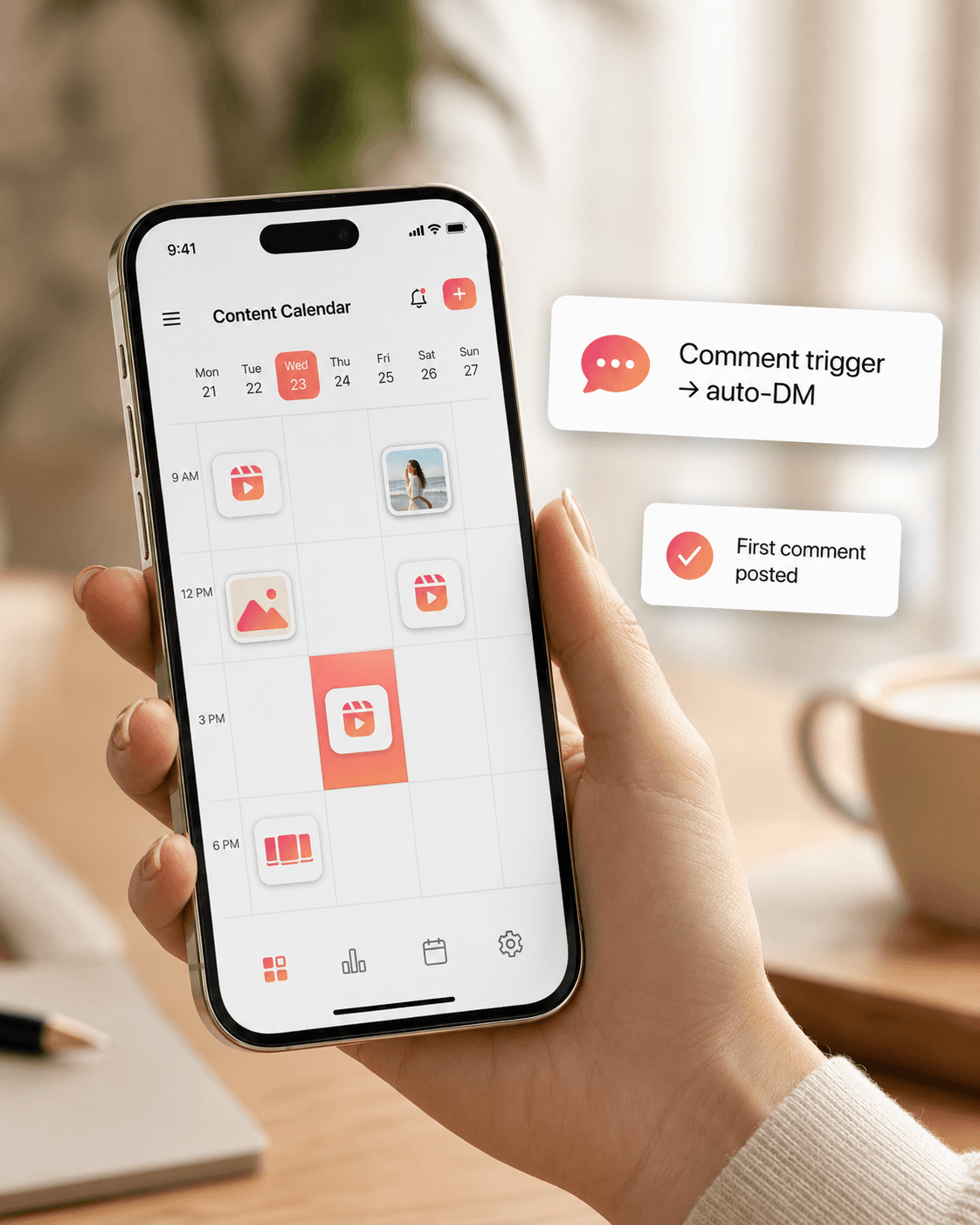
Schedule reels, carousels, photos, and stories with keyword-trigger captions and an auto-posted first comment to bump reach — all from one release calendar.
- Drag-and-drop calendar across every connected account
- Attach a comment-to-DM trigger directly to a post before it even goes live
- Auto-posted first comment to seed engagement and reach right after publishing
Insights & Funnel
Follow the full funnel from comment to captured lead to link click, broken down by automation, post, and country, so you know what to double down on.
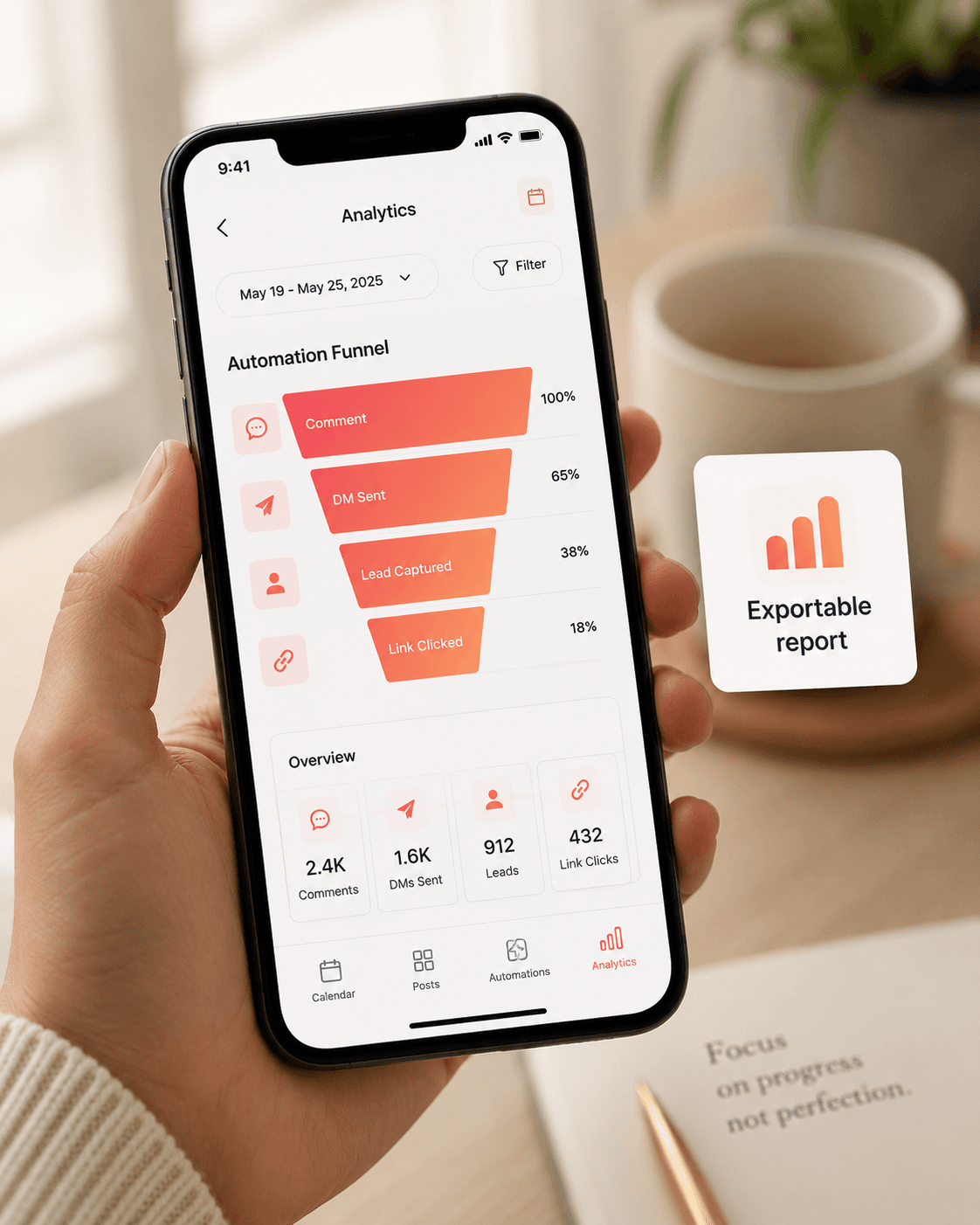
- Funnel view from comment → DM sent → lead captured → link clicked
- Breakdowns by automation, individual post, and country
- Exportable reports for monthly reviews or client reporting
Prospect Finder
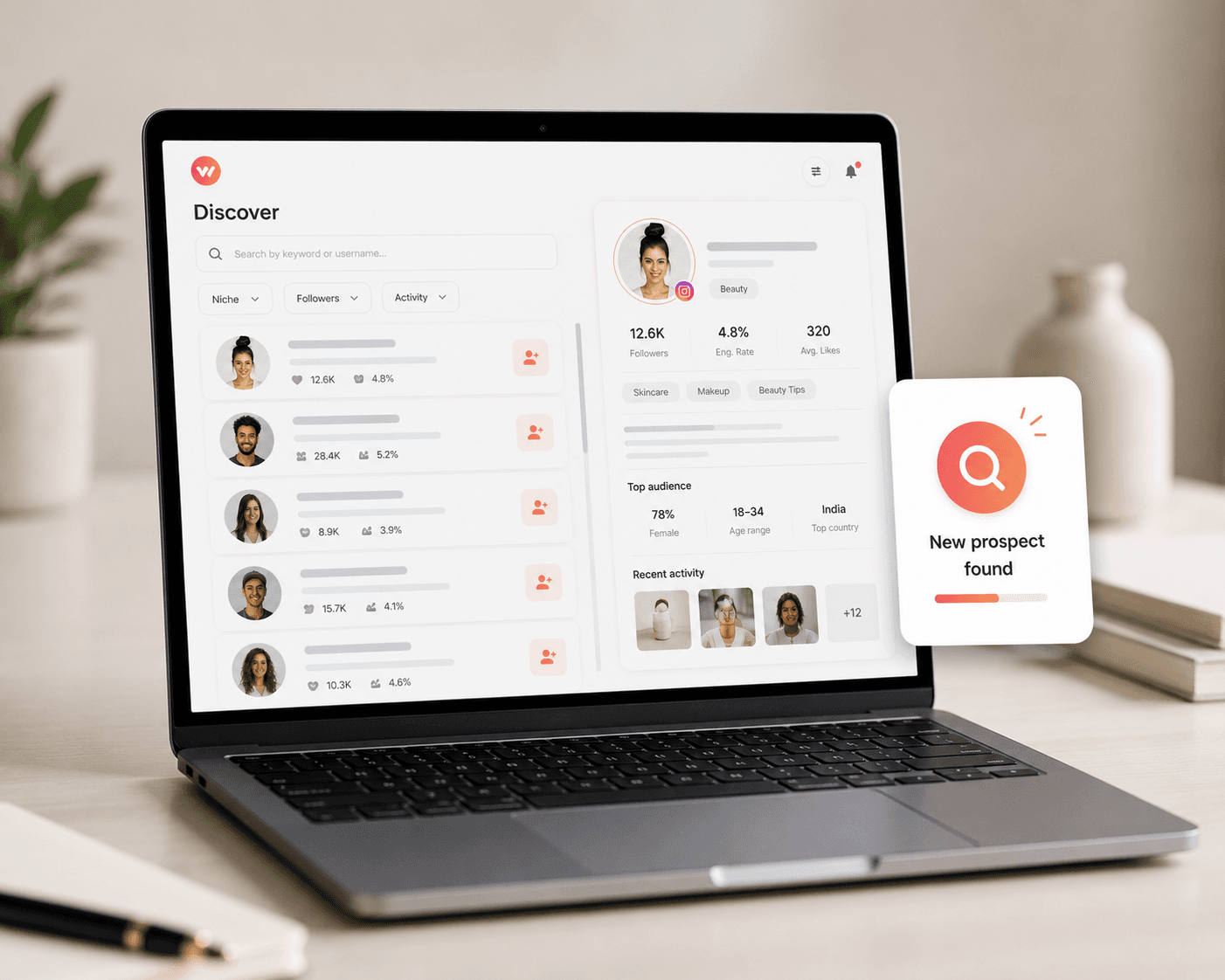
Surface accounts worth reaching out to based on engagement signals, so growth isn't limited to people who already commented on your posts.
- Surfaces accounts based on engagement signals like comment activity and follower overlap
- Filter by niche, activity level, or follower range
- Push a prospect straight into an outreach automation without leaving the page
Templates Gallery
Ready-made automation and reply templates for common use cases — discount codes, catalog delivery, lead quizzes — so you're never starting from a blank canvas.
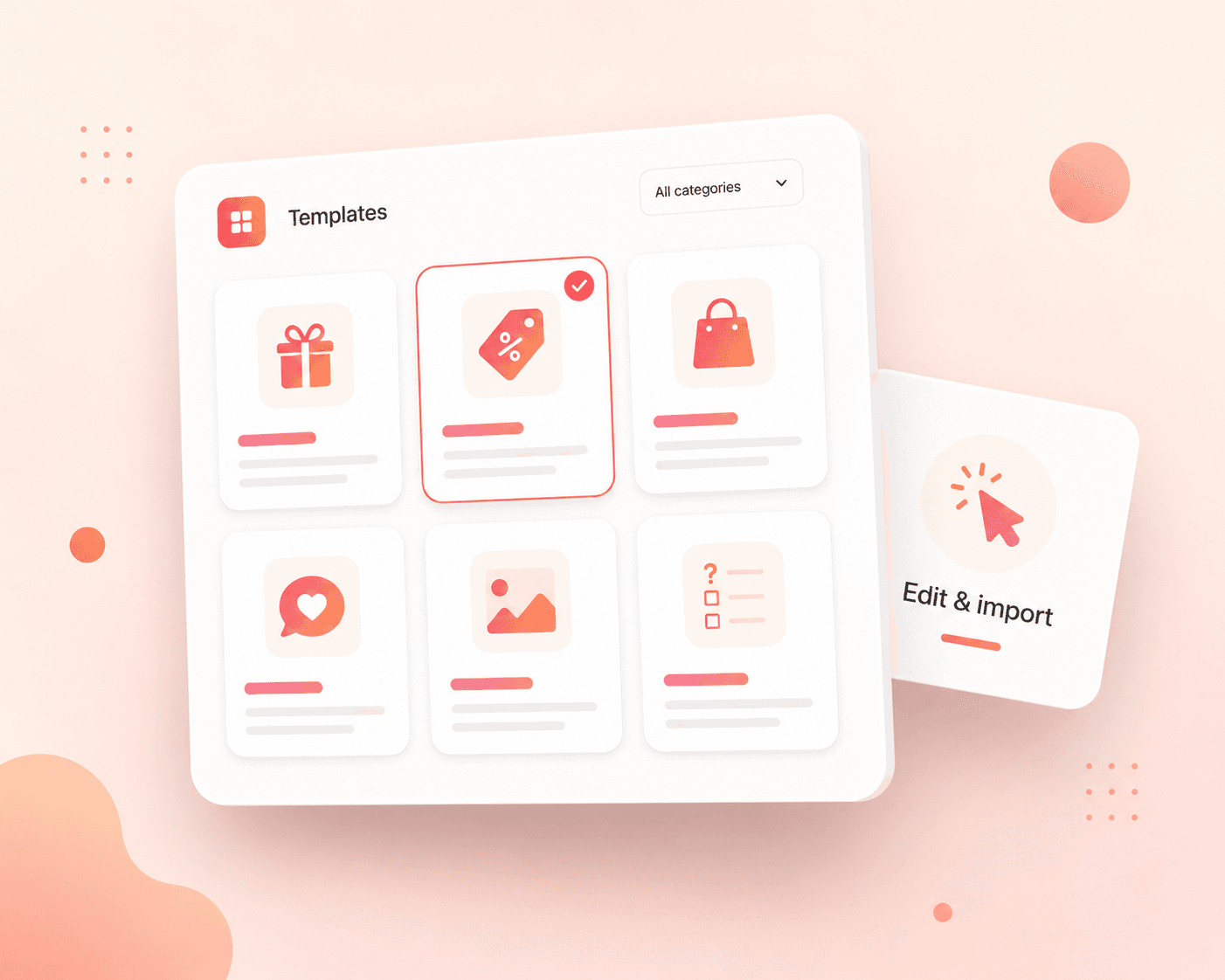
- Pre-built flows for discount codes, catalog delivery, waitlists, and lead quizzes
- Fully editable after import — swap copy, links, and triggers
- New templates added as common use cases emerge
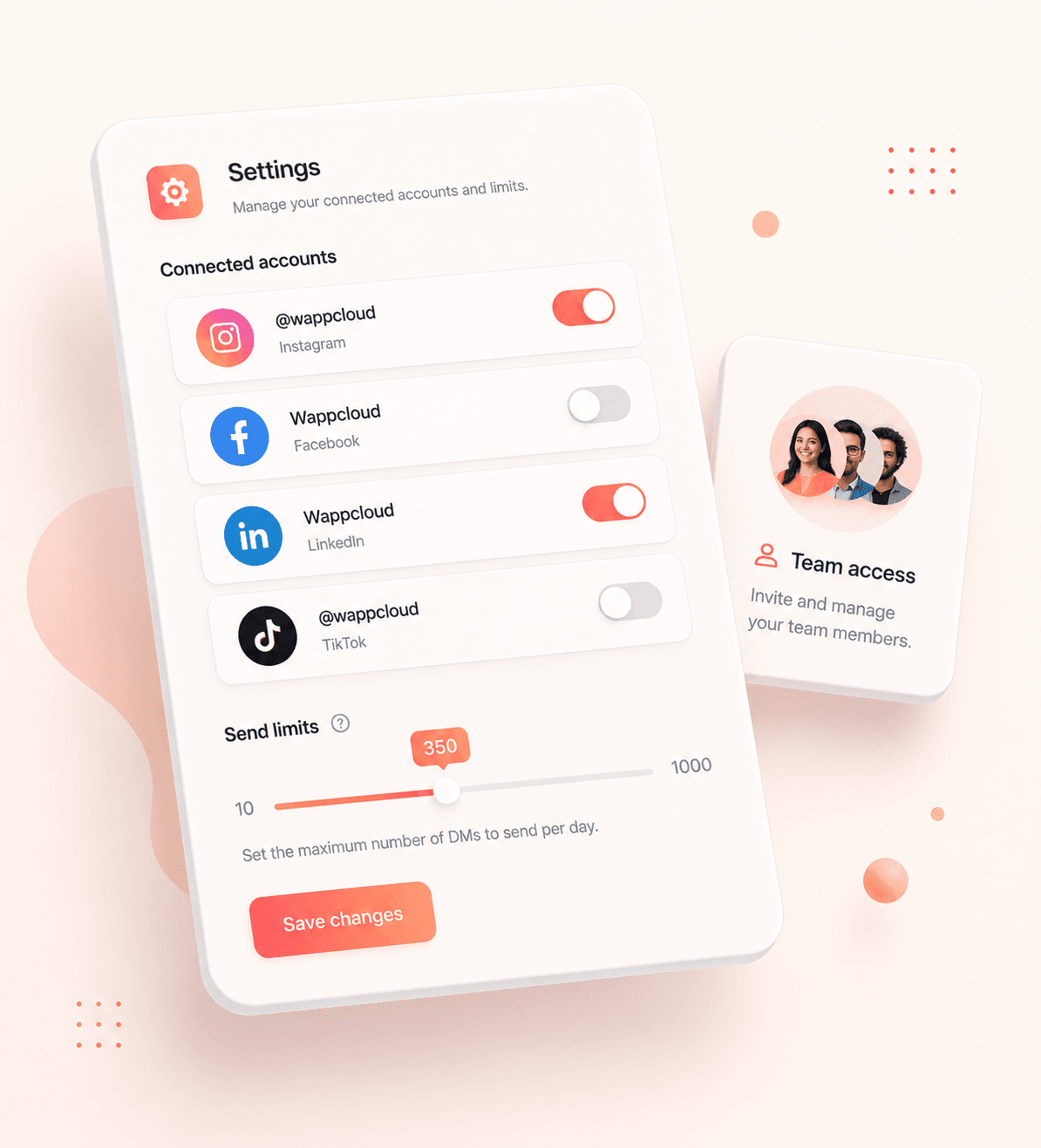
Settings
Manage connected accounts, safe-pacing limits, team access, and workspace preferences for every brand in one place.
- Add, remove, or re-authenticate connected Instagram accounts
- Adjust safe-pacing limits per account to control send rate
- Manage team member access and permissions per workspace
One screen for every automation you're running
Metrics update as comments and DMs come in, and a live feed shows exactly what each automation just did.
Safe messaging pacing engaged — outbound DMs are distributed at a human-like rate per account to guard against spam flags and temporary messaging locks.
12,450
+16.4%
DMs sent
4,821
+11.2%
Comments captured
1,820
+24.5%
New leads captured
3,410
+19.1%
Lead link clicks
Live activity monitor
Auto-updating@rahul.fitness — commented 'PLAN' on a reel
DM with custom workout guide sent instantly
Sneha Gupta — completed a DM quiz
Captured email and phone number
@coimbatore.eats — flagged on a lunch buffet post
Identified spam comments and auto-hid them
priya_sharma89 — commented 'PRICE' on a carousel
Sent Instagram DM with digital catalog link
What each trigger looks like to the person on the other end
@maya.studio
Active now
Comment to DM
- Fires on exact keywords, partial matches, or emoji-only comments
- Works on posts, reels, and carousels the moment they're published
- Reply can carry a link, file, discount code, or the start of a quiz flow
@fit.with.ana
Active now
Story replies
- Triggers on sticker taps, emoji reactions, or typed story replies
- Different replies per story, so a poll and a countdown sticker can lead to different DMs
- Great for time-boxed offers tied to a single story that expires in 24 hours
@rhea.designs
Active now
Keyword DMs
- Same keyword engine as comment-to-DM, but listening on direct messages instead
- Useful for people who message first without ever commenting publicly
- Runs 24/7, so a keyword typed at 2am still gets an instant reply
@newbrand.co
Active now
Follow gate
- Checks follow status before releasing the link, file, or code
- Politely re-prompts if someone hasn't followed yet, instead of failing silently
- Turns every lead-gen automation into a follower-growth channel at the same time
Set up once, it runs on everything after
Connect your account
One secure tap through Meta's official login. Works with Instagram Business and Creator accounts — no passwords change hands.
- OAuth through Meta's Graph API — WappBridge never sees or stores your password
- Supports both Business and Creator account types
- Add more accounts later from Settings without redoing this step
Choose a trigger and write your reply
Pick a keyword or a story reply, write the DM in your own voice, and attach the link, file, or offer you want delivered.
- Choose from comment-to-DM, story replies, keyword DMs, or a follow gate
- Write the reply once — it fires the same way across every matching post or story
- Attach a link, downloadable file, discount code, or hand off into a quiz flow
Turn it on
Flip the automation live and it starts answering on your very next post, reel, or story — no flowcharts to build first.
- Goes live immediately — no publishing delay or review step
- Applies automatically to new posts matching the trigger, not just the one you set it up on
- Pause or edit anytime from the Automations table without losing performance history
Comment-to-DM
The core trigger: a keyword left under a post or reel sends an instant, on-brand DM back, capturing the lead the moment they raise their hand.